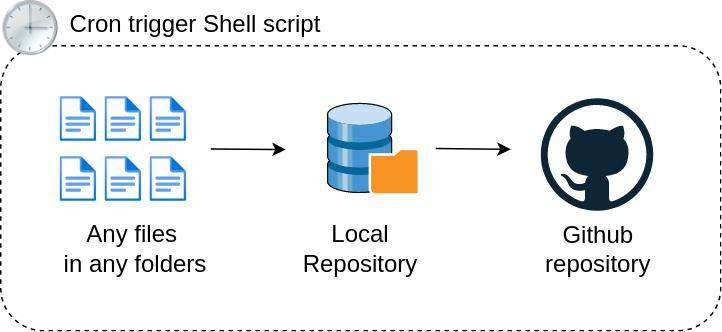
Cron lets you automate tasks like:
- backups
- scripts
- monitoring
- updates
⚙️ Edit Crontab
crontab -e🧩 Cron Syntax
* * * * * command
│ │ │ │ │
│ │ │ │ └── Day of week (0-7)
│ │ │ └──── Month
│ │ └────── Day
│ └──────── Hour
└────────── Minute
🧪 Examples
Run every minute:
* * * * * /script.shEvery day at 2 AM:
0 2 * * * /backup.shEvery Sunday:
0 3 * * 0 /cleanup.sh📦 Real Use Case: Backup Script
tar -czf backup.tar.gz /var/wwwCron:
0 1 * * * tar -czf /backup/site.tar.gz /var/www📜 View Jobs
crontab -l❌ Common Issues
- PATH not set → use full paths:
/usr/bin/php- Permissions issues
- Script not executable:
chmod +x script.sh🔥 Pro Tips
- Log output:
0 2 * * * /script.sh >> /var/log/script.log 2>&1Use cron + systemd together for reliability
🧠 Summary
Cron = free automation engine built into Linux.
Once mastered, you save hours of manual work.
🔥 Why these are better for YOUR blog
These fit perfectly with your structure:
- Linux category = core OS knowledge
- No overlap with:
- Docker
- Reverse proxy
- DevOps pipelines